Doplněk pro Excel pro prodejní data
An Excel add-in for working with a pharmaceutical company's sales data
About the project
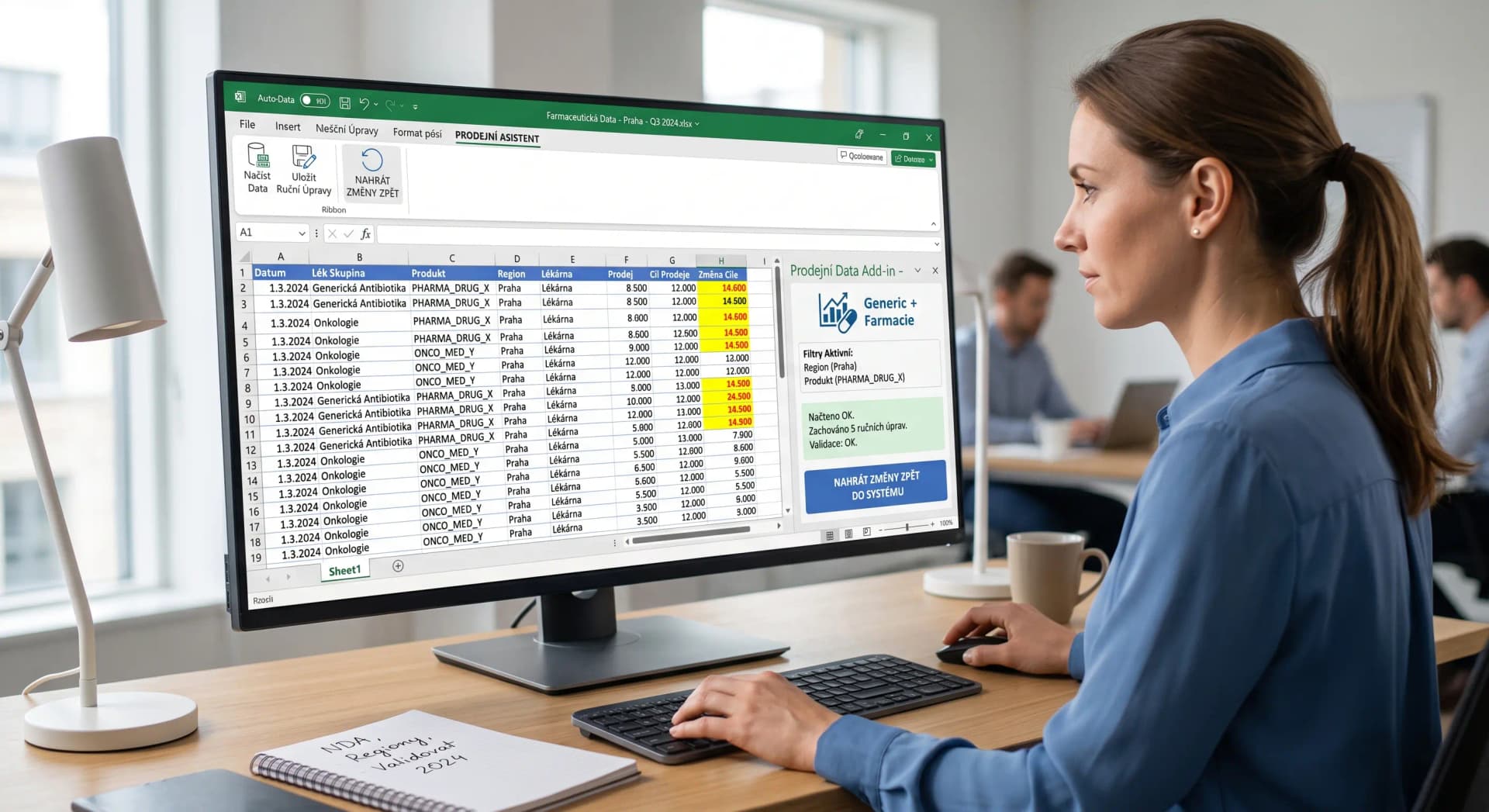
The client, a pharmaceutical company, needed a tool for working with sales data directly in Excel. I built an Excel add-in that loads sales data from a database based on given criteria and distributes it across the cells of a workbook. Selected cells can be edited manually, and those edits are preserved the next time the data is refreshed. The add-in also supports pushing the edited data back into the company's internal systems. The client is bound by an NDA, so this case study includes no screenshots or identifying details.
Project information
Client
Pharmaceutical company (under NDA)
Platform
Desktop application
Status
Completed
Development time
2 months
Year
2025
Technologies used
Check out the stack I used for this project
Frontend
Backend
Database
Key features
Loading sales data from a database based on given criteria
Distributing data across individual workbook cells
Preserving manual edits when data is refreshed again
Pushing edited data back into internal systems
Challenges
- 1
Preserving manual cell edits across repeated data refreshes
- 2
Reliably mapping data to specific cells based on criteria
- 3
Syncing edited data back without losing consistency
- 4
Handling a large volume of sales data in Excel
Solutions
- 1
An Excel add-in with its own toolbar panel
- 2
Tracking changed cells and preserving them on the next refresh
- 3
Validating data before pushing it back into the company's systems
- 4
Batched reads and writes for a fast response even at larger volumes
Results
The sales team works with sales data directly in Excel
Manual edits stay intact even after the data is refreshed again
Changes made in Excel flow back into the company's systems
Less manual work with data exports and imports
Development timeline
From analysis to deployment - how the project evolved
Analysis and design
Mapping data-selection criteria and the workbook structure
Add-in development
Loading data into cells, preserving edits, pushing data back
Testing and rollout
Testing with real data, rollout to the sales team
Have a similar project?
I'll be happy to help you build your application. Feel free to contact me for a free consultation.
Contact me